
Mobile Python Projects using Pydroid 3 on Android
Most of these projects are designed for mobile environments (Android / Pydroid 3), but also run on Raspberry Pi and Chromebook Linux.
Mobile-Friendly Science Crossword with Smart Progress Tracking
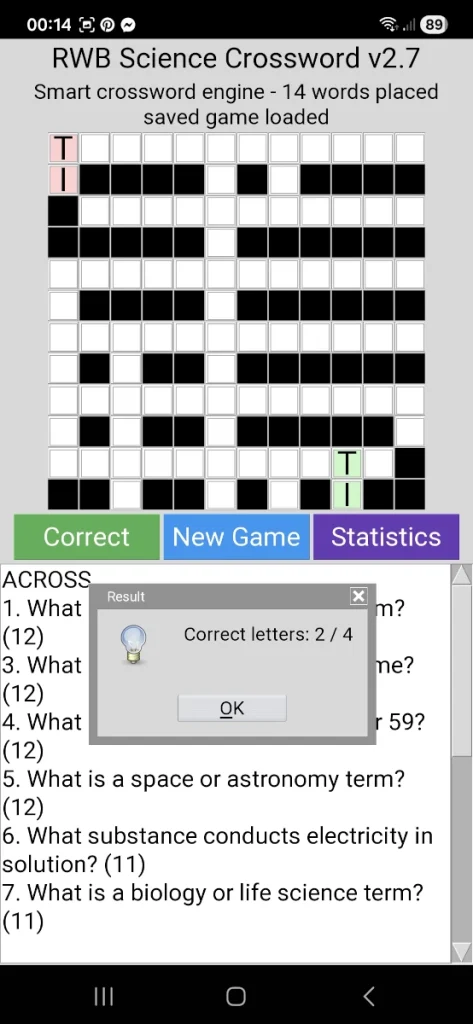
Educational Python Crossword Game for Android and Pydroid 3
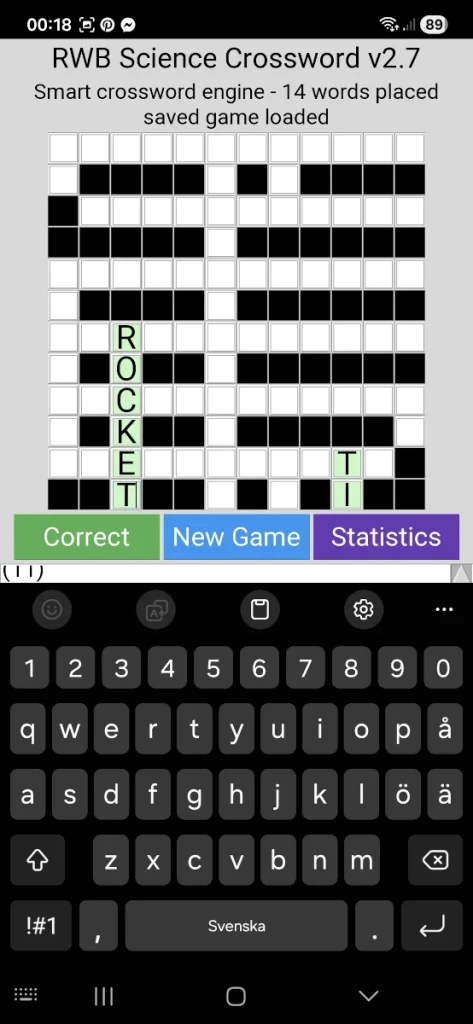
Python Science Crossword with Smart Clue System and Statistics
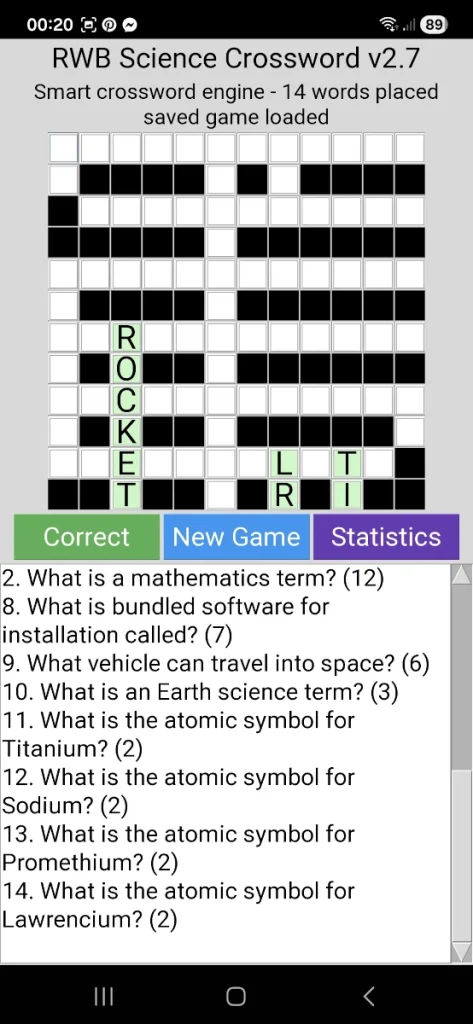
Science Crossword Statistics and Learning Progress in Python
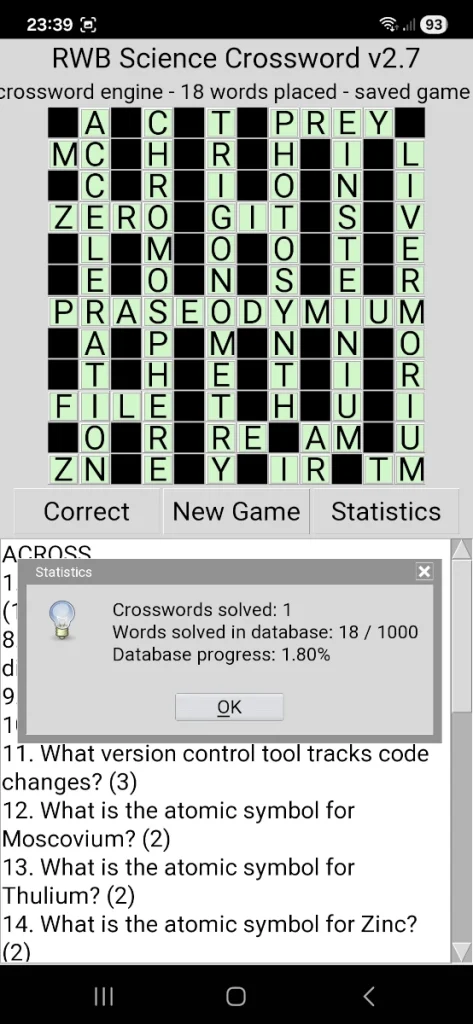
RWB Science Crossword v2.7 Mobile – Educational Python Crossword Game with Smart Science Learning
RWB Science Crossword v2.7 Mobile is a mobile-friendly educational crossword game developed in Python using Tkinter and Pydroid 3 for Android. The project features a smart crossword engine, intelligent answer checking, autosave/load system, statistics tracking, colorful mobile UI, and a growing database of over 1000 science and technology questions. Designed and developed by Robert William Blennerhed in collaboration with ChatGPT as part of RWB Tech Lab, the application combines programming, science education, memory training, and logical problem solving into a unique open-source Python learning project.
Mobile 2FA App in Python – Secure TOTP Manager for Pydroid 3
RWB 2FA Mobile TOTP Manager – Python App on Android
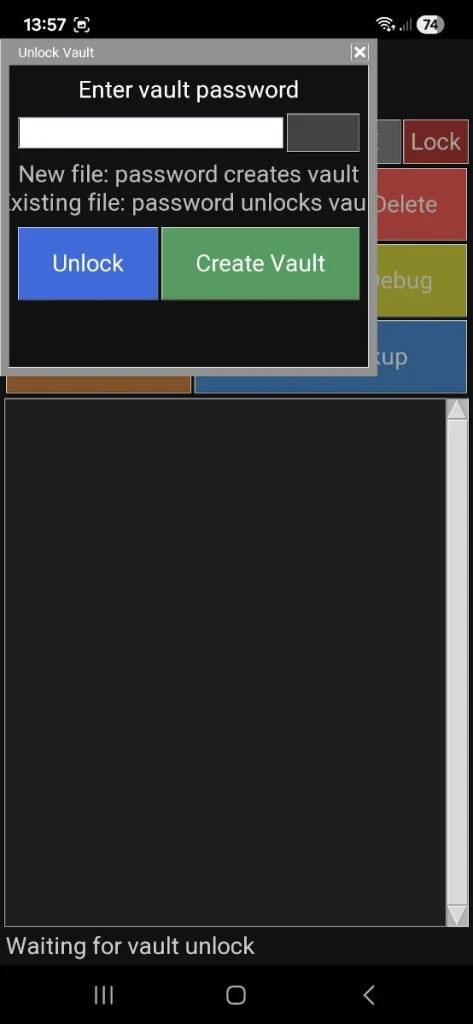
Add Account in RWB 2FA – Python TOTP Setup on Android
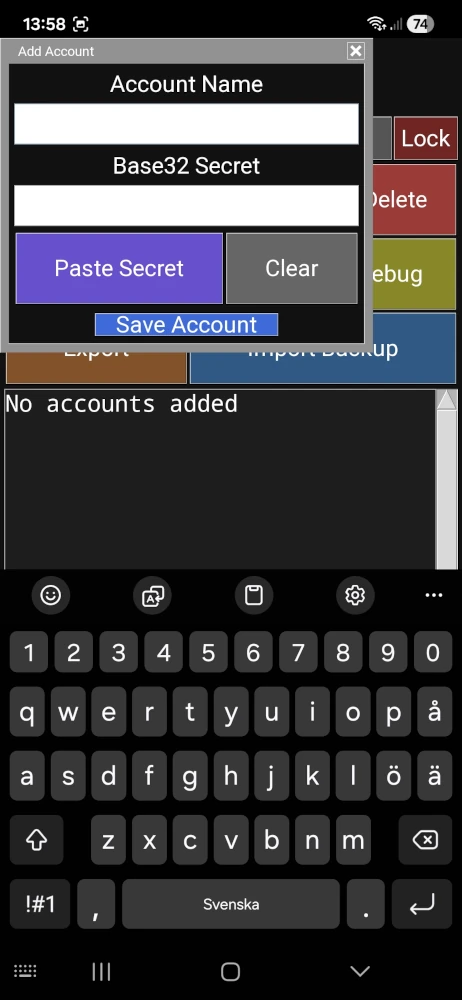
RWB 2FA – Live TOTP Codes in Python Authenticator App
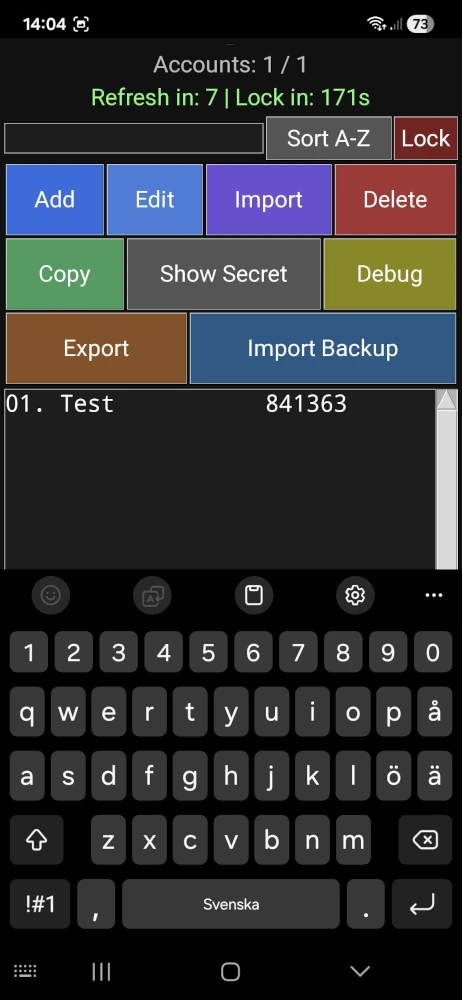
Mobile 2FA App in Python – Secure TOTP Manager for Pydroid 3
This project demonstrates how to build a secure, mobile-friendly 2FA (Two-Factor Authentication) application in Python, designed specifically for Android using Pydroid 3.
The RWB 2FA Mobile UI is a local-first TOTP manager, meaning all sensitive data is stored securely on your own device — no cloud, no external servers, and no third-party tracking.
Built with a focus on simplicity, security, and control, this project shows how Python can be used to create real-world security tools, even on mobile devices.
- Encrypted local vault (no cloud dependency)
- Mobile-friendly interface optimized for Pydroid 3
- Add, edit, and delete 2FA accounts
- Search and sort (A–Z / Z–A)
- Safe copy of active TOTP codes
- Show / hide secret keys
- Import and export encrypted backups
- Duplicate account detection
- Manual lock for extra security
Why This Project Matters
Many developers think Python is only for backend or scripting.
This project proves that Python can also be used to build secure mobile applications, even without complex frameworks.
It’s especially useful for:
- Learning how TOTP (Time-based One-Time Password) works
- Understanding local encryption and data protection
- Building your own privacy-focused authentication tools
- Exploring mobile Python development with Pydroid 3
Built for Real Use
This is not just a demo — it’s a fully functional 2FA tool that can be used in everyday life.
If you care about:
- privacy
- full control over your data
- avoiding cloud-based lock-in
…then building your own 2FA app is a powerful step forward.
Security Note
For safety reasons, no real secret keys are included in the source code.
Users must create and manage their own secrets locally.
RWB Tech Lab Philosophy
Simple. Local. Secure.
No unnecessary complexity — just working solutions built with Python.
Save Bob v1.3 – Skill Over Luck (Python Mobile Game)
Save Bob – Python Mobile Game Gameplay
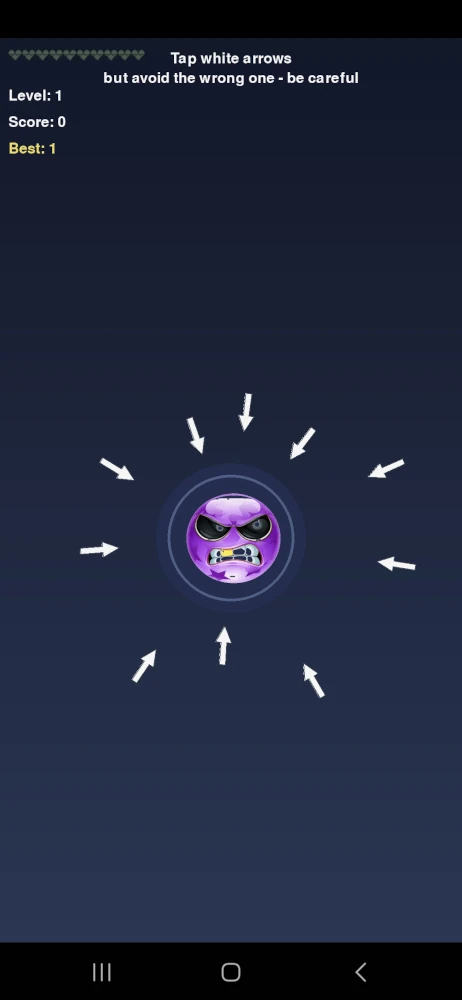
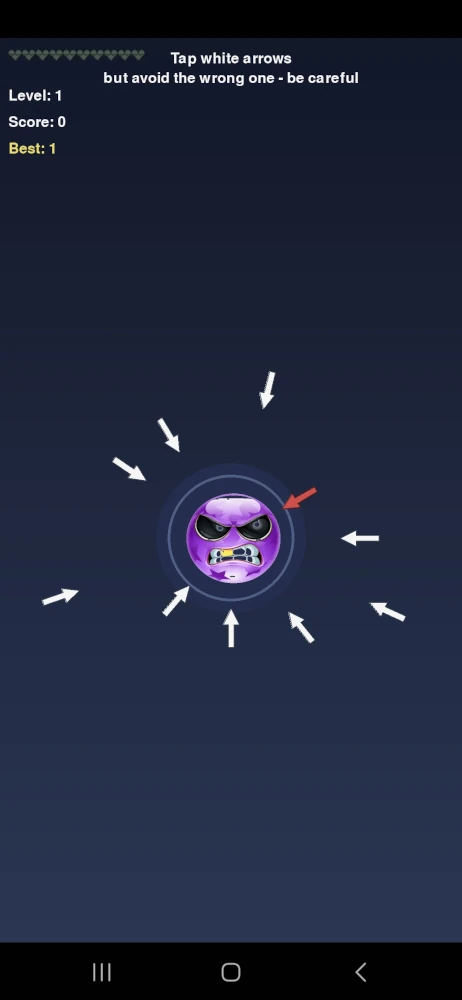
Save Bob – Deadly Arrow Mechanic (Python Mobile Game)
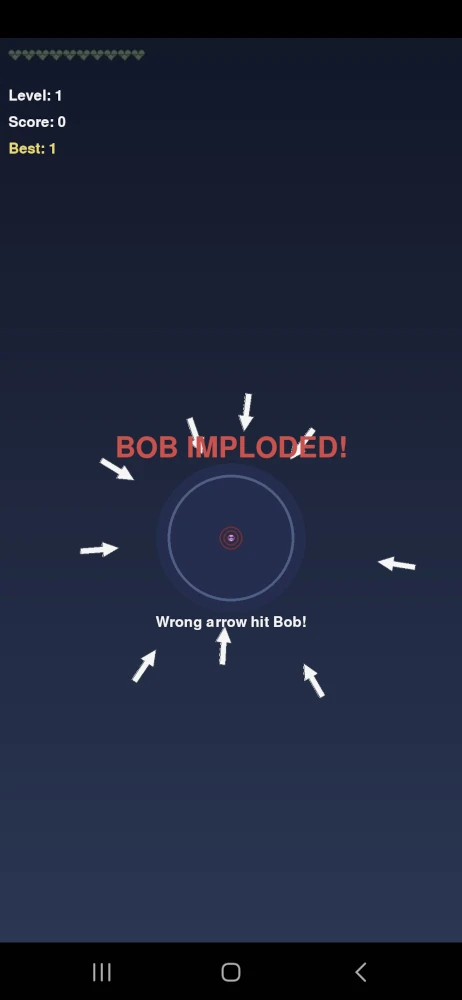
Save Bob – Game Over (Bob Imploded)
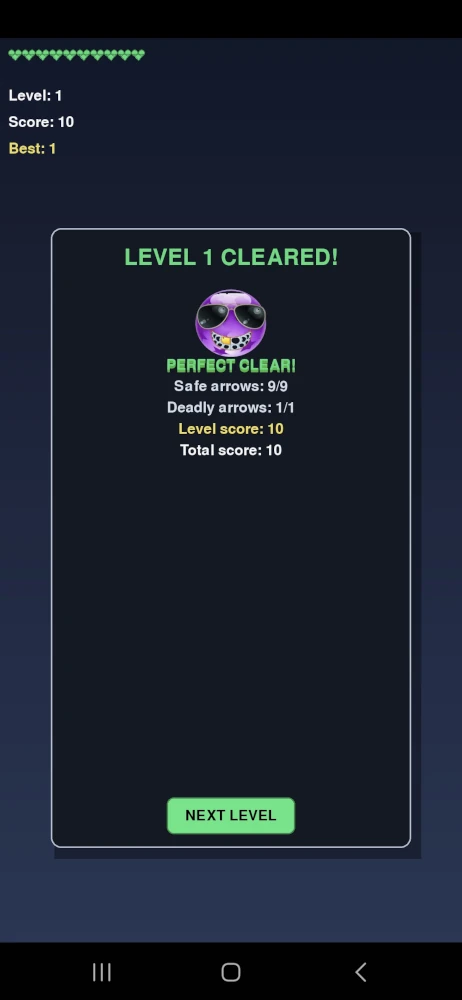
Save Bob – Level Cleared (Perfect Clear)
Save Bob is a fast-paced reflex game where precision and timing are everything.
Bob is surrounded by arrows.
Your task is simple – tap the safe (white) arrows before it’s too late.
But there’s a catch…
One arrow is wrong.
And one mistake is all it takes.
Gameplay
- Tap the safe (white) arrows
- Avoid the deadly arrow
- Survive each level
- Save Bob
The game quickly becomes more intense and demands full focus.
Smart Hint System v1.3
Version 1.3 introduces a subtle mechanic:
The deadly arrow may flash red for a split second.
It’s not a clear hint – just a brief opportunity.
You still have to rely on your own awareness and reaction.
Design Philosophy
- Skill over luck
- Minimalist design
- Fast response
- No unnecessary complexity
This is a game where your reflexes decide everything.
Built with Python
Developed in Python with focus on:
- Mobile-friendly gameplay (Pydroid / Android)
- Simple but effective graphics
- Full control over logic and timing
RWB Tech Lab
Developed by
Robert William Blennerhed
In collaboration with ChatGPT
RWB Form Designer – A Mobile-Friendly Tkinter GUI Builder for Python
RWB Form Designer – Python Tkinter GUI Builder


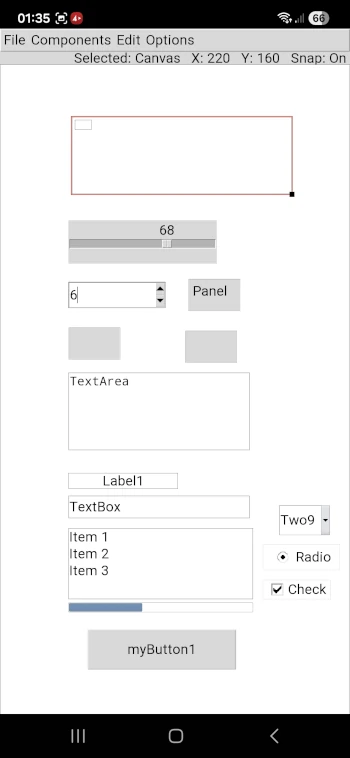
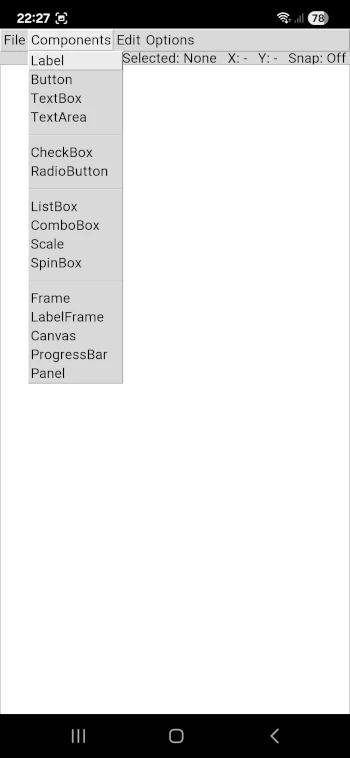
RWB Form Designer – Tkinter Components Panel
RWB Form Designer – Drag and Layout Editing (Tkinter GUI Builder)
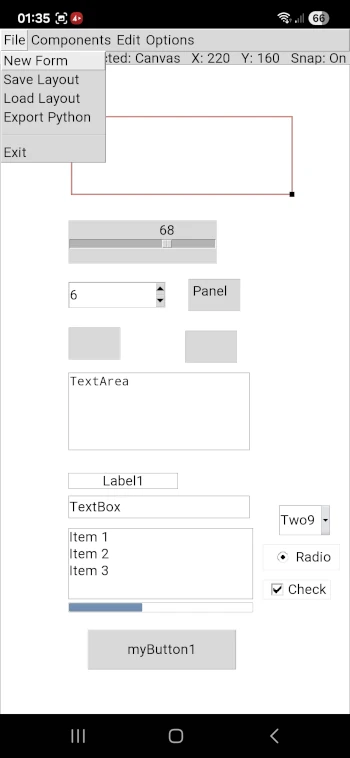
RWB Form Designer is a lightweight and mobile-friendly Tkinter GUI builder designed for Python developers who want full control over their interface design.
With RWB Form Designer, you can visually create and position widgets directly on a canvas, making it easier to design graphical user interfaces without writing complex layout code. The tool is optimized for mobile environments such as Android (Pydroid 3), but also works on Raspberry Pi and Linux systems.
This project is part of RWB Tech Lab, where the focus is on simplicity, performance, and practical development. Instead of relying on heavy frameworks, RWB Form Designer provides a clean and efficient way to build Tkinter applications visually.
Key benefits:
- Visual GUI design for Tkinter
- Mobile-friendly interface for small screens
- Lightweight and fast Python tool
- Ideal for Raspberry Pi, Chromebook, and Android
- Designed for learning, prototyping, and real projects
Whether you are a beginner learning Python or an experienced developer looking for a faster workflow, RWB Form Designer gives you the tools to build interfaces anywhere.
Developed by Robert William Blennerhed in collaboration with ChatGPT.
RWB Password Manager Mobile– Take Back Control of Your Passwords
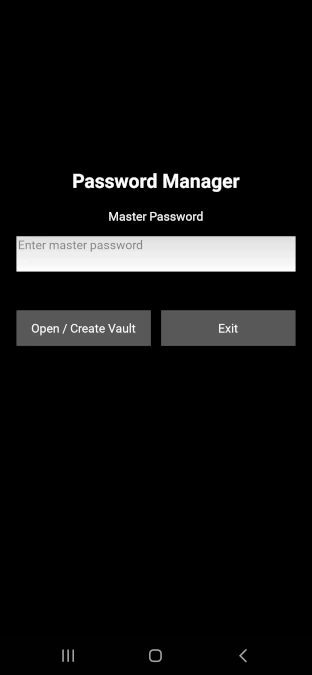
RWB Password Manager – Secure Master Password Login
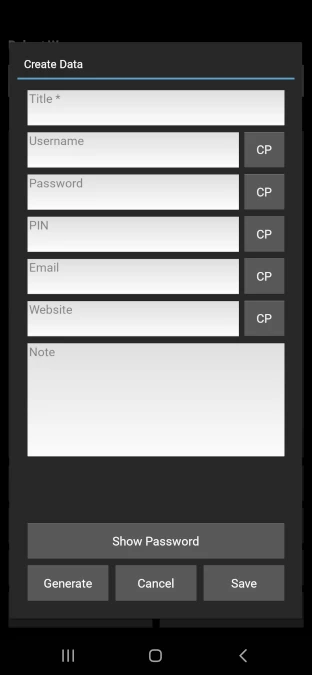
RWB Password Manager – Add Secure Entry
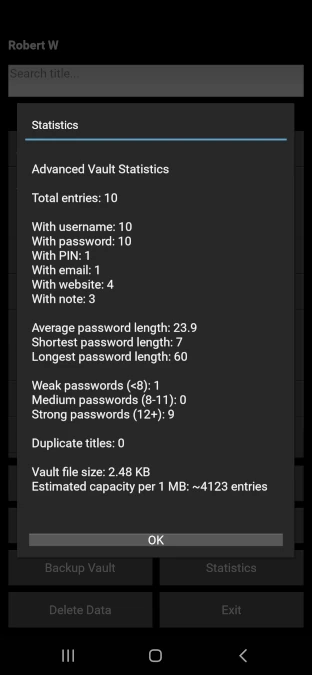
RWB Password Manager – Vault Statistics and Security Analysis
Take Back Control of Your Passwords
Today most people rely completely on cloud services and online password managers. But what happens if the internet is down, a service disappears, or access to your account is suddenly blocked? In such situations you could lose access to everything.
In my own case I manage more than 150 different credentials including usernames, passwords, PIN codes, web addresses and other sensitive information. Losing access to that data would be a serious problem.
RWB Password Manager is a lightweight Python application designed to keep your password vault under your own control. The data is stored locally and encrypted, allowing you to manage your credentials without depending on external cloud services.
The project is part of RWB Tech Lab, where I experiment with practical Python tools developed in collaboration with ChatGPT.
- Local encrypted password vault
- No cloud dependency
- Simple interface for creating and searching entries
- Backup support
- Designed for full user control
- Android Mobile
Developed by Robert William Blennerhed
In collaboration with ChatGPT
RWB Tech Lab
RWB Export/Create Mobile – Password Manager Tool
RWB Export/Create – Password Manager CSV Tool
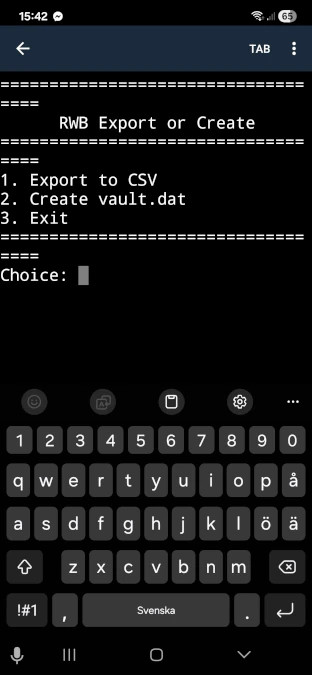
RWB Export or Create – Companion Tool
RWB Export or Create is a small companion tool for RWB Password Manager.
It allows users to export the encrypted vault file to CSV format for backup or analysis, and it can also recreate a new vault file from CSV data.
This tool was developed to make it easier to maintain full control over password data and to ensure that the vault structure can always be rebuilt if needed.
Like the main application, the tool is written in Python and is part of the RWB Tech Lab experiments.
Obs! Source code is included in the RWB Password Manager GitHub repository.
Python Powerball Mobile Calculator – Statistical Generator
Python Powerball Calculator
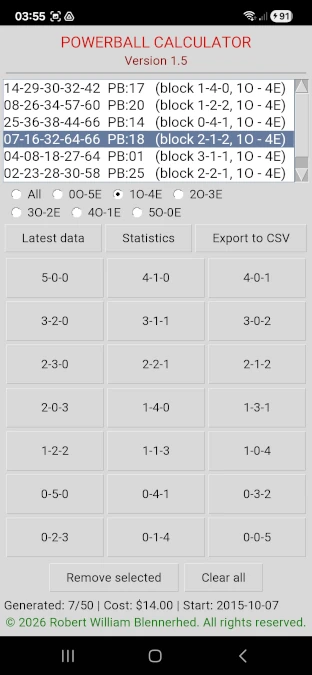
Powerball Statistics – Python Analysis Tool
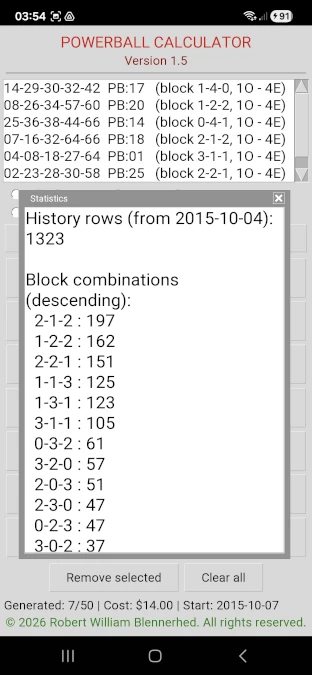
Powerball Data Export – Python Calculator Tool
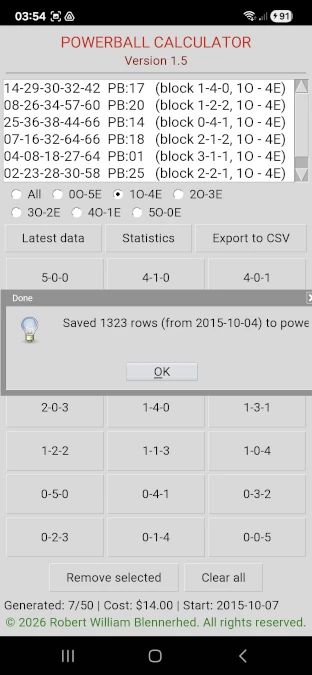
Powerball Calculator (Robert William / ChatGPT)
The Powerball Calculator is a small experimental program written in Python as part of the learning projects on RWB Tech Lab.
The purpose of this experiment is to explore how Python can be used to analyze number distributions and generate statistical combinations for the Powerball lottery.
The program analyzes historical number patterns and generates suggested number combinations based on simple statistical observations.
Features
- Generation of Powerball number combinations
- Basic statistical calculations
- Mobile-friendly interface
- Developed and tested on Android devices using Pydroid 3
The project was created as a learning experiment while exploring Python programming together with ChatGPT.
Project goal
The goal of this project is not to predict lottery results, but to experiment with programming techniques, data handling and simple statistical calculations.
It demonstrates how Python can be used to quickly build practical tools and explore numerical data.
Migraine Aura Simulator for Mobile devices(Android)
Migraine Aura Simulator – Visual Pattern (Scintillating Scotoma)
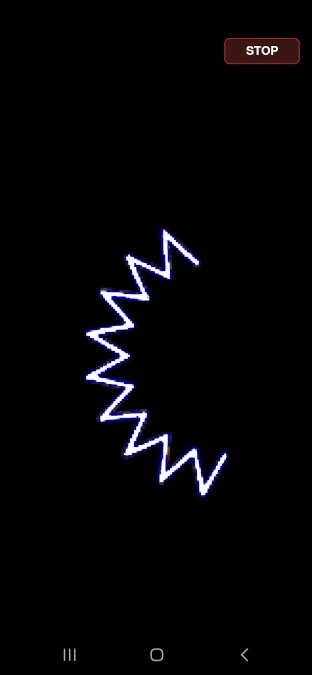
This simulation is based on my own real migraine aura experience, which typically lasts around 40 minutes.
Migraine Aura Simulator – App Navigation and Features
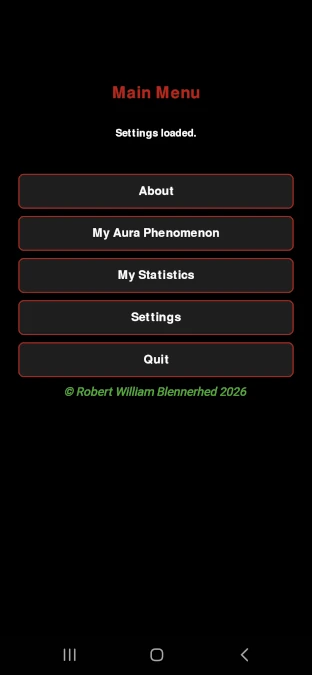
Customize Migraine Aura Simulation (Speed and Scale)
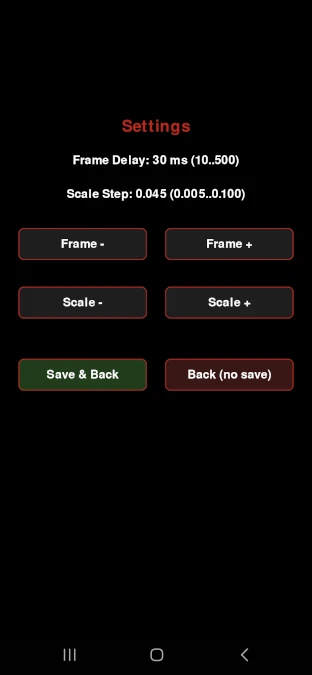
Migraine Aura Simulator – Mobile Python App
The goal of this program is to simulate the visual patterns often experienced during a migraine aura. Many migraine sufferers report seeing zig-zag shapes, flashing lights or expanding geometric patterns before the headache phase begins.
This project attempts to recreate those visual effects using simple graphical programming techniques.
The mobile version was developed using the Python programming language together with the graphics library Pygame. Development and testing were mainly performed on Android devices using Pydroid 3.
Features
- Mobile-friendly graphical interface
- Simulation of expanding zig-zag aura patterns
- RGB color experiments and timing sequences
- Adjustable settings for visual effects
- Simple menu system designed for touch devices
Purpose of the experiment
This project is not intended for medical diagnosis. Instead, it is an experimental attempt to explore whether the visual characteristics of migraine aura can be reproduced through programming.
The simulator was inspired by the developer’s own experiences with migraine aura and curiosity about how these neurological visual effects might be represented using software.
Development
The project was developed by Robert William Blennerhed as part of his ongoing exploration of Python programming, with assistance from ChatGPT as a learning and development partner.
Note: This experiment shows how personal experience, curiosity and programming can come together to create new ideas and tools.
/Robert William Blennerhed, Migraine Patient.
More Python projects from RWB Tech Lab will be published soon.
© 2026 Robert William Blennerhed. All rights reserved.
Content and software published on this site may not be copied or redistributed without permission.